
When does a Shopify app need live demos?
A live demo is useful when a merchant needs to evaluate a workflow, integration, migration, rollout, or purchase involving several people. It can also help a larger account decide whether the product fits its operating model. The goal is to resolve a decision, not to show every feature.
Keep self-serve installation available when the product supports it. A simple app with low setup effort may need a short walkthrough and good onboarding instead of a calendar gate. Segment the buying motion by customer needs and economics rather than forcing the entire audience through sales.
What should the invitation to a Shopify app demo promise?
Name the workflow and the question the demo will answer. “See our platform” gives the merchant little reason to prioritize the call. “Review how exchange requests would move through your support workflow” is more concrete if the app actually supports that process.
Do not promise a revenue lift, lower returns, or a migration result without applicable evidence. A useful invitation sets the purpose, expected participant, approximate time, and next step. It can offer a relevant technical overview first when a buyer is not ready to schedule.
Illustrative reply after confirmed interest:
We can use the call to review {{confirmed_workflow}} and check {{supported_requirement}}. Would you prefer a short walkthrough first, or a live discussion with your {{workflow_owner}}?
Replace every variable with confirmed context. The example is a structure to adapt, not a tested conversion claim.
Where can qualified Shopify app demo requests come from?
| Source | Reason a demo may fit | What to record |
|---|---|---|
| Problem-led website content | The visitor is evaluating a supported workflow | Landing page and original inquiry |
| A relevant agency partner | An implementer has a merchant with a fitting use case | Partner, merchant agreement, and referral context |
| Existing self-serve users | An eligible account needs a larger rollout or configuration | Account history and the user’s stated need |
| Researched outbound | An identifiable merchant segment benefits from a conversation | Public fit evidence and original reply |
App Store traffic can also create interest, but an app install and a demo request should remain separate events. Ask where a booking originated and preserve both the original source and later assisting touchpoints. Do not overwrite source attribution with internal tracking links.
What should you qualify before booking a merchant demo?
| Field | Confirm before booking | Keep unknown if not established |
|---|---|---|
| Merchant fit | Supported business model, geography, and use case | Private revenue or order volume |
| Participant | Ownership or influence over the relevant workflow | Complete buying committee |
| Technical eligibility | Known restrictions that would block product use | Undisclosed stack or configuration |
| Interest and consent | Agreed topic and willingness to meet | Budget or purchase deadline |
| Ownership | Sales owner, customer and opportunity exclusions | Future close probability |
Download the Shopify app demo qualification worksheet. Use it to capture evidence, the source conversation, open questions, and the accepted next step.
A merchant can be worth speaking with even when budget is not known. The rule should reflect your sales process. Record gaps explicitly instead of inventing a complete qualification story to make a booking look stronger.
How do you make the demo relevant to the merchant’s store?
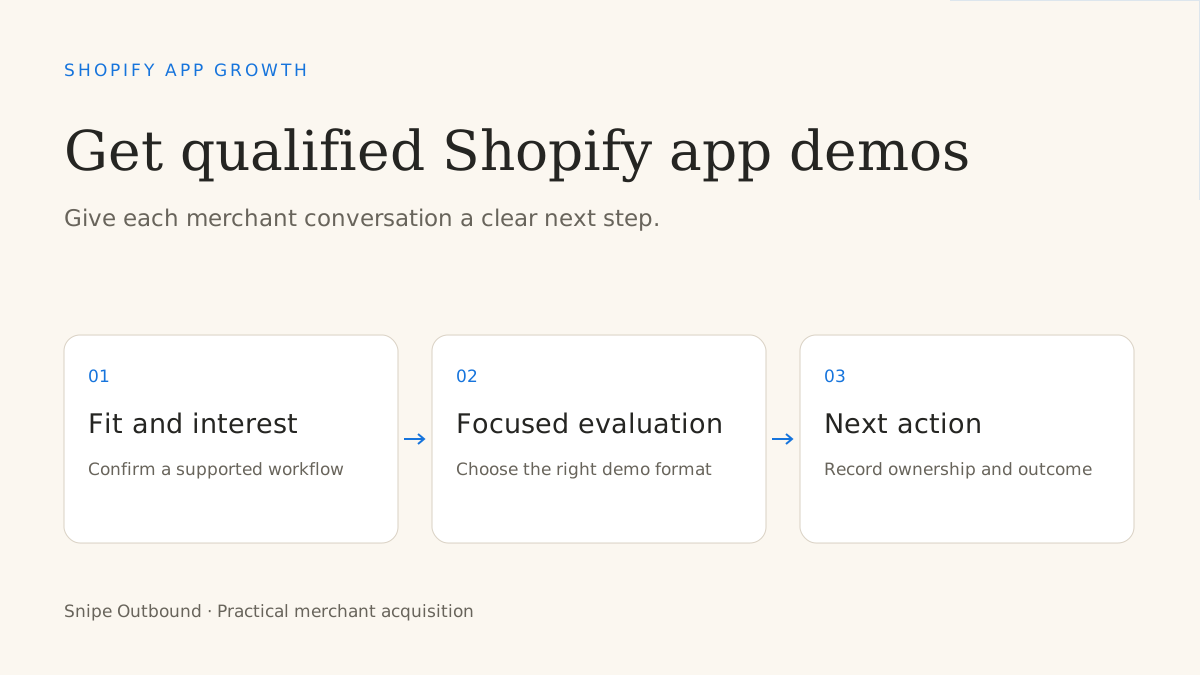
Begin with the problem the buyer agreed to discuss. Confirm the current process, show the supported workflow, explain integration or setup requirements, and agree on an appropriate next action. A focused agenda keeps the evaluation tied to the buyer’s decision.
Use a development or demonstration environment for examples. Public storefront research can help frame the conversation, but do not imply that you have accessed the merchant’s admin, installed the app, or inspected private customer data. Any work in the merchant’s actual store needs their permission and an agreed access scope.
Prepare the questions you cannot answer without a product specialist. Escalate those questions with the original buyer wording rather than improvising claims about integrations, security, or unsupported functionality.
How do you reduce friction between interest and a held demo?
Reply while the context is still fresh. Give the buyer a practical way to pick a time and make the invitation describe the agreed purpose. Confirm the time zone, required participants, and whether preparation is necessary. Send a useful reminder with the same agenda.
Track no-show and reschedule reasons without counting each calendar change as a new lead. If several fitting merchants ask for a recording or written overview instead, offer that path where appropriate. Repeated hesitation can reveal a mismatch between the proposed call and the decision the buyer needs to make.
Which metrics show whether Shopify app demo booking is working?
Follow one booking cohort through booked, held, sales-accepted, evaluation, installation, activation, paid conversion, and retention. Not every product uses every stage. Define the relevant events and deduplicate merchants, stores, stakeholders, and opportunities.
Use total cost divided by held, accepted demos for meeting economics. For example, a hypothetical $6,000 program with 12 bookings, 9 held demos, and 6 accepted meetings costs $500 per booking and $1,000 per accepted held meeting. These are illustrative inputs, not Snipe pricing or benchmarks.
The demo pipeline calculator compares meeting stages. The meeting forecast guide explains how to model account reach and message workload from your own observed funnel.
What if demos happen but merchants do not install or activate?
Read the objections and outcomes before buying more bookings. Check whether the workflow fits, required functionality exists, implementation is clear, the right person attended, and the agreed next step happened. Separate product-fit and onboarding issues from targeting and qualification issues.
Use the Shopify app install diagnostic for conversion problems. Use the lead-generation agency buyer’s guide when you need a managed merchant-conversation process.
Questions about getting demos for a Shopify app
How many demos should a Shopify app expect from cold email?
There is no universal ratio. Use your observed merchant segment, reply definition, qualification, attendance, and sales capacity to forecast a range. A booking forecast does not establish retained customer growth.
Should every interested merchant get a live demo?
No. Choose live, recorded, written, or self-serve evaluation based on the buyer’s question and the product’s economics. Keep an agreed next step for each path.
Continue the Shopify app growth series: compare marketing agency models, choose acquisition channels, evaluate a lead-generation agency, build a qualified-demo process, and research merchant search keywords.
Does merchant outbound fit your app?
Review your product, reachable merchant segment, customer economics, and meeting acceptance rules. Snipe operates researched cold email, replies, qualification, and booking.
Discuss your Shopify app pipeline