
Why Your Shopify App Is Not Getting Installs: A Diagnostic Tree
Low installs are a symptom, not a diagnosis. Locate the broken handoff—from discovery to listing visit to activation—before you change the listing or buy more traffic.
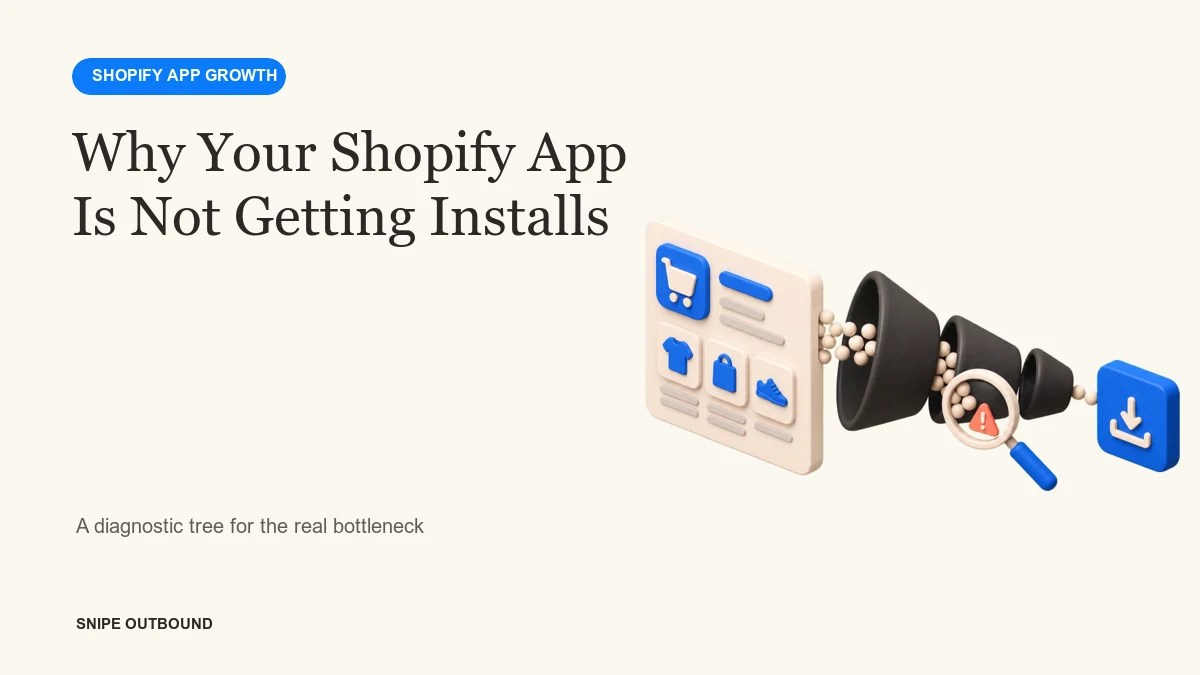
Your Shopify app may be missing installs because fitting merchants never see it, the App Store listing does not convert visits, installation looks risky or difficult, or early users fail to activate and leave. Compare each stage with the one before it. Fix the first meaningful leak; do not optimize every stage at once.
“How do I get more Shopify app installs?” sounds like an acquisition question. Often it is a measurement question first. A founder can rewrite the listing while discovery is the real problem, buy ads while onboarding is broken, or chase review volume before the product has a repeatable first-use outcome.
The diagnostic tree below separates four problems that require different remedies. It applies to Shopify apps, Shopify plugins, and many marketplace-distributed ecommerce SaaS products.
The diagnostic tree in one table
| Observed pattern | Likely constraint | First investigation |
|---|---|---|
| Very few fitting merchants see the listing | Discovery | Search terms, category fit, positioning, outside demand |
| Listing visits are healthy but installs are low | Listing conversion | Promise, screenshots, pricing, proof, compatibility, trust |
| Installs happen but setup stalls | Activation | Permissions, configuration, first useful outcome, support |
| Activation happens but merchants remove the app | Retention or fit | Value cadence, reliability, merchant segment, pricing |
Use counts and conversion rates for the same time period. Marketplace impressions and listing visits reveal a discovery or click problem. Product analytics reveal what happens after installation. Revenue and cohort retention reveal whether the installs were useful.
Branch 1: fitting merchants do not discover the app
If impressions and qualified listing visits are low, changing the onboarding flow will not create discovery. Start with the language and context merchants use before they know your product.
Check category and problem alignment
A broad promise can make the app relevant to nobody. Name the store type, workflow, or situation the product serves. “Improve conversions” competes with thousands of tools. “Build mix-and-match bundles for high-SKU food brands” gives the marketplace and the buyer more information—provided that is truly the app’s job.
Map queries to merchant intent
List the problems, tasks, and product categories a fitting merchant may search. Combine App Store evidence with sales calls, support conversations, community questions, and site-search terms. Do not create a separate page for every synonym. Use one useful page for one decision and include adjacent language naturally.
Create discovery outside the marketplace
Problem-led SEO, partner referrals, founder education, paid search, and targeted outbound can introduce the product before a merchant enters the App Store. The correct channel depends on purchase complexity. A simple inexpensive app generally needs self-serve economics. A higher-consideration product can support a demo or assisted setup.
Diagnosis: low impressions plus strong install conversion points to a distribution problem. Preserve what already converts and test a new source of fitting traffic.
Branch 2: merchants visit the listing but do not install
Healthy visits with weak installs suggest that the listing is not resolving the buyer’s uncertainty. Shopify’s own guidance emphasizes clear listing information and accurately representing the app. The listing must help a merchant answer: Is this for my store? What outcome does it create? How hard is setup? What will it cost? Can I trust it?
Tighten the first screen
The app name, icon, subtitle, opening description, and first screenshots should communicate the same specific promise. A visitor should not need to infer the product from a feature inventory. Show the workflow and the result, not decorative dashboards without context.
Remove compatibility and pricing ambiguity
State required plans, regions, themes, integrations, catalog conditions, usage limits, and additional charges where relevant. Surprise creates abandonment. Accurate constraints can improve conversion by helping poor-fit merchants opt out before installing.
Use proof ethically
Reviews help merchants reduce risk, but review collection has rules. Shopify prohibits incentivized reviews and practices that encourage only positive feedback. Ask eligible users for an honest review at an appropriate moment and follow the current Shopify review guidelines. Never manufacture social proof.
Diagnosis: high impressions, reasonable listing visits, and low installs point to positioning, trust, price, or compatibility—not necessarily a traffic shortage.
Branch 3: merchants install but do not activate
An install is not a customer. Define one activation event that proves the merchant reached the product’s first useful outcome: the first working bundle, synced catalog, configured return rule, published widget, recovered payment, or other value specific to the app.
Measure setup by step
Track permission acceptance, account creation, data connection, configuration, publication, and first successful output separately. A single “installed” event hides where setup fails.
Shorten the path to proof
Use sensible defaults, sample data, a progress indicator, contextual help, and one primary action. Delay optional configuration until after the user sees value. If setup genuinely requires specialist work, offer assisted onboarding instead of pretending the product is instant.
Talk to recent abandoners
Behavioral analytics show where a user stopped; a conversation can explain why. Contact a small number of recent installers who did not activate. Ask what they expected, what confused them, and what they did instead. Treat their language as research, not as a prompt to defend the product.
Branch 4: activated merchants do not stay
If merchants reach value and then remove the app, acquisition is not the first constraint. Split retention by merchant segment, acquisition source, plan, use case, and activation behavior.
Common causes include unreliable performance, a one-time rather than recurring job, value that is hard to observe, pricing that rises faster than perceived benefit, missing integrations, and acquisition that brings the wrong stores. The corrective action may be product, service, packaging, or tighter targeting.
More installs can make the problem look better for a month while expanding support load and churn. Scale a cohort only after it behaves like a cohort worth acquiring.
When to use ASO, ads, partnerships, or outbound
| If the constraint is… | Channel or fix to test | Avoid |
|---|---|---|
| Marketplace discovery | Listing relevance, category fit, problem-led content, App Store ads | Changing onboarding first |
| Listing conversion | Positioning, screenshots, pricing clarity, honest proof | Buying substantially more traffic |
| Activation | Onboarding repair, assisted setup, lifecycle education | Optimizing for raw installs |
| Qualified reach outside the marketplace | Partners or targeted merchant outbound | Broad scraped lists |
| Retention | Reliability, value visibility, fit, product and packaging | Celebrating top-of-funnel volume |
Shopify App Store ads can buy placement for relevant searches, but paid visibility is most useful after the listing and activation path can convert. Outbound is useful when fit can be observed from merchant signals and the contract supports a sales conversation. Read our seven-channel comparison before choosing.
A two-week diagnostic sprint
- Days 1–2: define discovery, visit, install, activation, paid conversion, and retention with one shared funnel.
- Days 3–5: segment the funnel by source and merchant type. Find the first large leak.
- Days 6–8: review ten relevant listings and five recent user journeys. Gather evidence; do not copy competitors.
- Days 9–12: make one coherent change to the constrained stage.
- Days 13–14: document the baseline, launch date, expected movement, and decision rule.
Do not call the test after a handful of visits. Use enough qualified traffic to distinguish a real change from noise, and protect downstream measures. A higher install rate paired with worse activation is not an improvement.
What to do after the bottleneck is fixed
Once the current stage consistently passes fitting merchants to the next, move to a stage-by-stage Shopify app growth plan. Early products should prioritize learning and activation. Proven products can add a repeatable acquisition channel. Mature ecommerce SaaS can segment, sell, partner, and expand.
Is qualified merchant reach the bottleneck?
Compare Shopify app marketing agencies, or review Snipe's merchant outreach for sales-assisted Shopify apps.
Related service: If you want Snipe to operate this motion with your team, review email-led outbound for ecommerce software companies.